

Authorization
The Stampee API uses two authentication methods depending on the type of message you're sending.
Authentication Methods
| Method | Used For | Required For |
|---|---|---|
| API Token | All API requests | LS messages, customer management, consents |
| mTLS (mutual TLS) | Additional security | LRE messages (registered letters) |
API Token Authentication
API tokens authenticate all requests to the Stampee API. You must include your token in the X-API-TOKEN header for every request.
Generate Your API Token
Follow these steps to generate your API token:
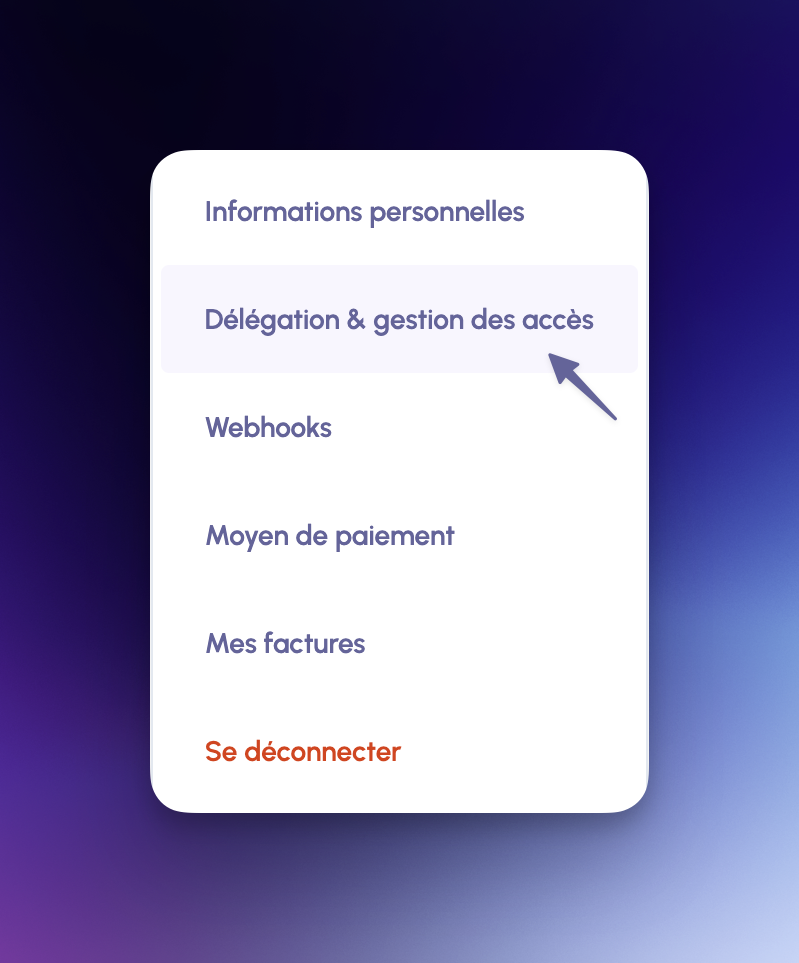
Step 1: Access Delegation Settings
Navigate to Délégation & gestion des accès in your Stampee dashboard.
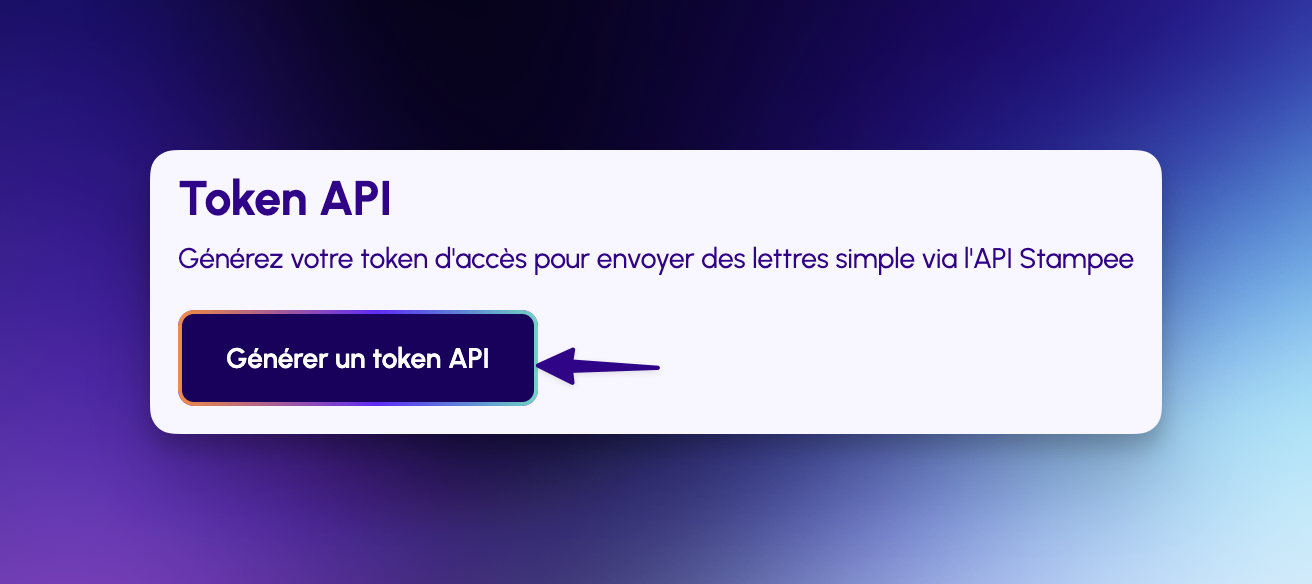
Step 2: Generate Token
Click on Générer un token API to create a new API token.
Step 3: Copy Your Token
Your token will be displayed once. Copy it immediately - it won't be shown again for security reasons.
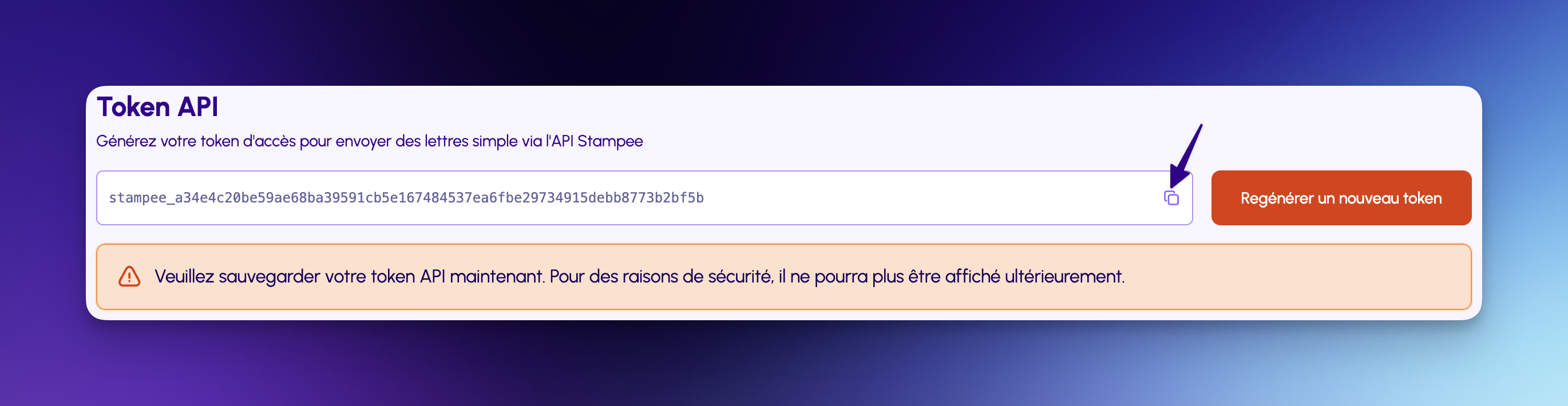
Security WarningSave your API token securely. For security reasons, it cannot be displayed again after generation.
If you lose your token, you'll need to regenerate a new one.
Using Your API Token
Include your API token in the X-API-TOKEN header for all requests:
curl -X GET https://api.stampee.fr/customers \
  -H "X-API-TOKEN: stampee_a34e4c20be59ae68ba39591cb5e167484537ea6fbe29734915debb8773b2bf5b"
Header format:
X-API-TOKEN: your_api_token_hereToken Security Best Practices
- Store securely: Keep your token in environment variables or secure vault services
- Never commit: Don't commit tokens to version control (add to
.gitignore) - Rotate regularly: Regenerate tokens periodically for security
- Use HTTPS only: Always use HTTPS when making API requests
- Limit access: Only share tokens with authorized team members
Example: Environment Variable
export STAMPEE_API_TOKEN="stampee_a34e4c20be59ae68ba39591cb5e167484537ea6fbe29734915debb8773b2bf5b"

curl -X GET https://api.stampee.fr/customers \
  -H "X-API-TOKEN: $STAMPEE_API_TOKEN"
Token Permissions
Your API token has access to:
- ✅ Send LS messages (simple letters)
- ✅ Create and manage customers
- ✅ Create and manage consents
- ✅ Retrieve message status and evidence
- ✅ Manage customer logos
- ❌ Send LRE messages (requires mTLS)
mTLS Authentication (for LRE Messages)
LRE (Lettre Recommandée Électronique) messages require mTLS (mutual TLS) authentication in addition to your API token. This provides an extra layer of security for legally-binding registered letters.
Prerequisites: Complete KYC Verification
Before you can set up mTLS and send LRE messages, you must complete the Know Your Customer (KYC) verification process.
Step 1: Start Identity Verification
Click on Démarrer la vérification to begin the KYC process.
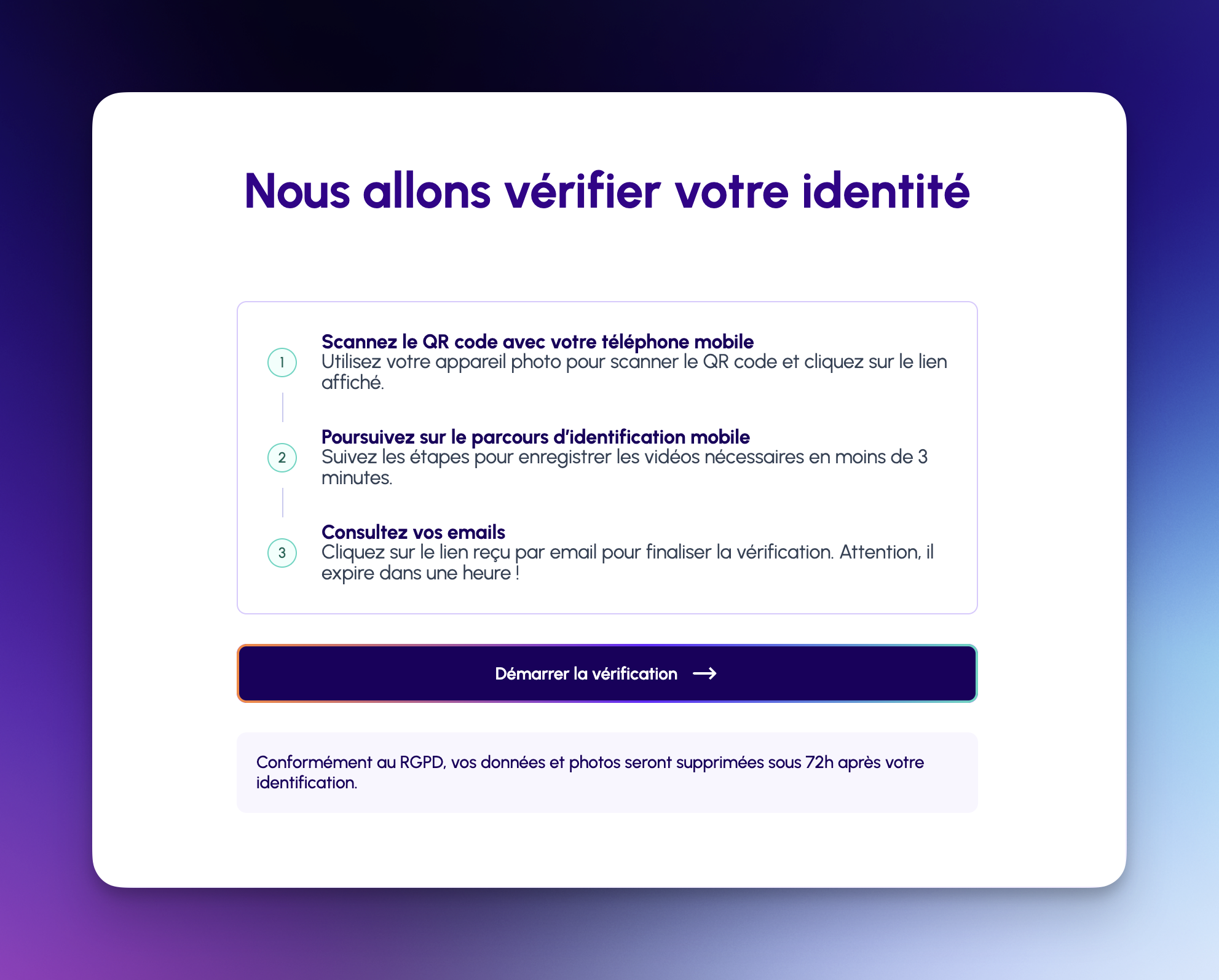
The verification process involves:
- Scan QR code with your mobile phone
- Complete mobile identification - Record required videos (takes less than 3 minutes)
- Check your email - You'll receive a verification email (expires in 1 hour)
Step 2: Confirm Your Identity
After scanning the QR code, you can continue on your smartphone or in your browser.
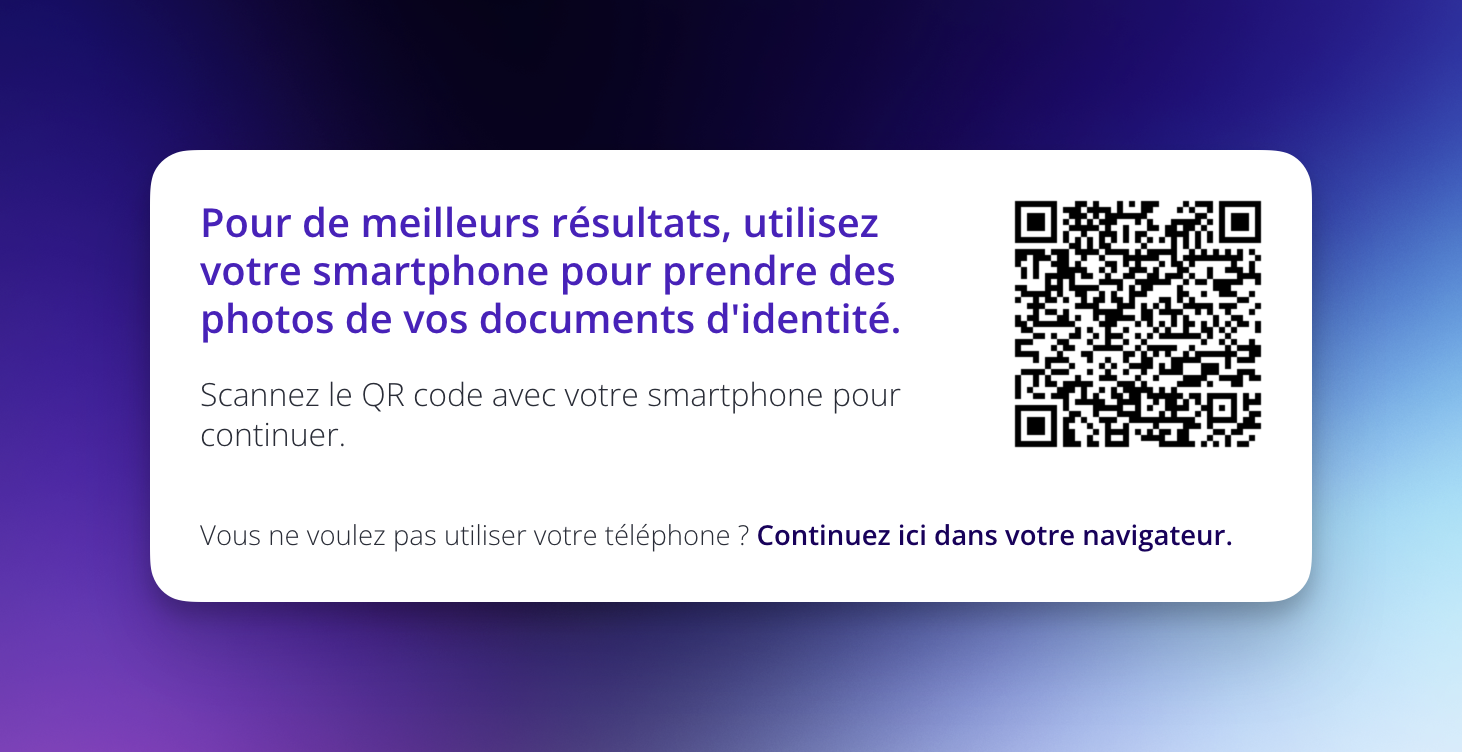
Mobile Verification RecommendedFor best results, use your smartphone to take photos of your identity documents.
Step 3: Add Your Phone Number
Enter your phone number to receive an SMS verification code.
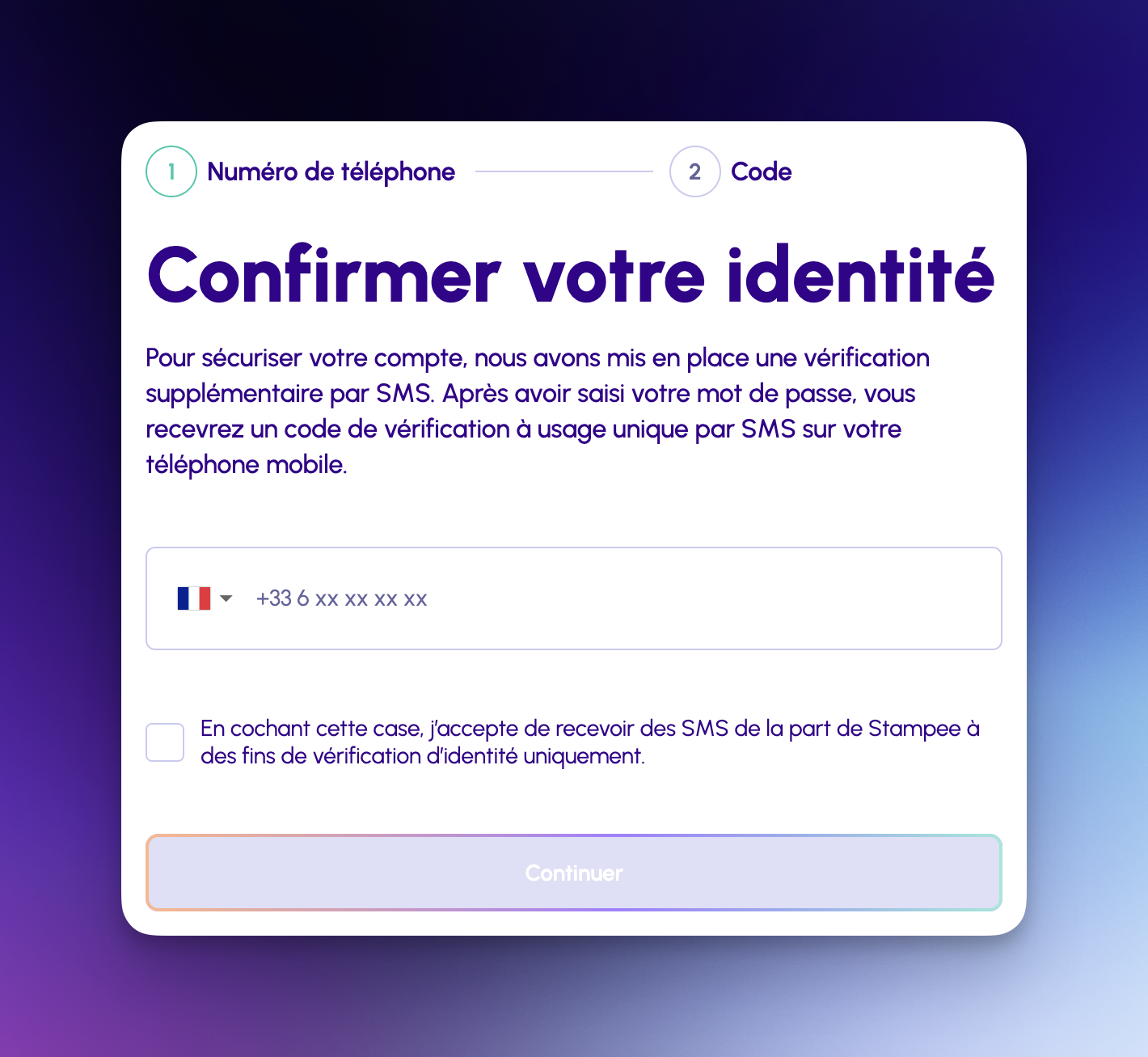
You'll receive a one-time verification code via SMS. Enter this code to confirm your identity.
SMS Consent RequiredBy checking the box, you consent to receive SMS from Stampee for identity verification purposes only.
Step 4: Contact Support
Once you've completed the identity verification process, contact our support team to finalize your mTLS setup:
📧 Email: [email protected]
Our team will guide you through the final mTLS configuration steps.
What is mTLS?
mTLS (mutual TLS) is a two-way authentication method where:
- The server authenticates your client using a certificate
- Your client authenticates the server using SSL/TLS
This ensures both parties are who they claim to be.
mTLS Requirements for LRE
To send LRE messages, you need:
- ✅ Completed KYC verification
- ✅ A valid client certificate registered with Stampee
- ✅ Certificate must not be expired
- ✅ Certificate must be used within 1 year of first use
- ✅ Proper mTLS client configuration
Current Limitations
ImportantResellers cannot currently send LRE messages on behalf of customers using the
senderparameter.
This feature is coming soon.You can send LRE messages from your own reseller account with mTLS authentication.
Authentication Flow
For LS Messages (Simple Letters)
1. Generate API token from dashboard
2. Include token in X-API-TOKEN header
3. Send POST request to /messages/bulk_send
4. Receive response with message IDs
For LRE Messages (Registered Letters)
1. Generate API token from dashboard
2. Complete KYC verification process
3. Contact [email protected] for mTLS certificate setup
4. Configure mTLS in your HTTP client
5. Include token in X-API-TOKEN header
6. Send POST request to /messages/bulk_send with type: "LRE"
7. Receive response with message IDs
Next Steps
- Quick Start - Send your first authenticated request
- API Reference - Explore all endpoints
Need Help?
- Token Issues: Regenerate from your dashboard or contact [email protected]
- mTLS Setup: Contact [email protected]
- Authentication Errors: See API Reference for complete error codes
Updated 8 months ago